

 FDIC-Insured – Backed by the full faith and credit of the U.S. Government

eBanking
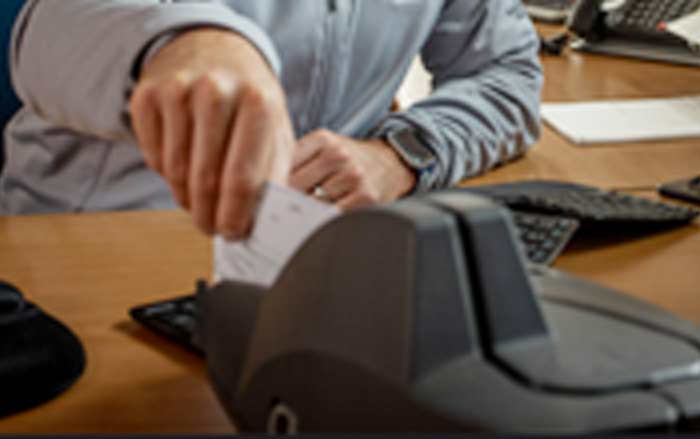
Save Trips to the Bank
Deposit Checks from the comfort and convenience of your office
Fraud Prevention and Security Awareness
Community Bank of Santa Maria is committed to helping our customers stay educated and up to date on information security and the latest fraud scams. Below we have compiled a list of resources that will help protect both you and your family from unwanted exposure.
Additionally, we offer account alerts to help you monitor activity on your Community Bank of Santa Maria accounts. Visit the Online and Mobile Banking page for more information.
Our knowledgeable staff is available if have questions about fraud prevention, or any concerns about safeguarding your personal information. Please stop by one of our branches or give us a call at (805) 922-2900.
Online Resources:
Resource for Victims of Identity Theft:
Recovering from identity theft is no easy task but can be easier with a plan. Below is a link to the federal government’s one-stop resource to help you report and recover from identity theft. The site provides step-by-step advice and helpful resources like easy-to-print checklists and sample letters.
Guides for Protecting your Personal Information:
If you have any questions regarding this information, please feel free to contact us at (805) 922-2900.
Disclaimer – Printable resource materials are provided by the Federal Trade Commission and FDIC
Resources
ClickSWITCH is an automated account switching solution that makes it easy for you to quickly and securely switch your recurring direct deposits and automatic payments from your previous financial institution account to your account with us.
Getting started with ClickSWITCH is easy! Log in to our Online Banking and select Services > ClickSWITCH.
You input your payment and direct deposit information to our secure ClickSwitch system, submit the switch, and we’ll do the rest. You can monitor the progress of your switches by clicking on the “View Existing Switches” on the home screen of your Dashboard.
You’ll need to gather all of your automatic payment and direct deposit information to get your switches started. A previous statement is a great source of information.
An automatic payment is a regular, ongoing payment that is initiated externally, such as a monthly insurance bill, utility payment, or automobile loan payment.
A direct deposit is any payment that you receive from an organization directly into your account, such as payroll, government deposits (Social Security, Disability), and dividend deposits from investment accounts.
Submitting a switch typically takes less than 90 seconds.
Switches are processed and sent out within 24 hours of submission.
Switches typically take 5-15 business days. It’s a good idea to review your switch status page for updates and to monitor your accounts.
If a switch shows as “Completed,” there’s no need to contact the biller or depositor. If a switch shows as “Mailed” for more than 15 business days, you may want to confirm with the company.
Companies require specific information to ensure your identity and update the account in their system.
If we don’t have a company’s address, please use the one indicated on the payment confirmation or statement the company sends you.
If a field has an asterisk, the information is required to submit the switch. You can save and continue later if needed.
You can check the “Status” column in your ClickSWITCH account. “Completed” means confirmed by the biller or depositor; “Mailed” indicates it is still in process.
It’s advisable to keep enough money in your old account to cover each payment until the switch status changes to “Completed.”
We recommend keeping enough money in your old account to cover payments until the switch status is “Completed.”
An “Action Needed” status typically means that the company requires you to update your banking information with them online. Details of the action will be shown in the Actions column.
If you provided an email address and enabled alert emails, you’ll receive updates via email. Otherwise, access ClickSWITCH through online banking to view switch statuses
No, since bill payments are not automatically recurring, you cannot use ClickSWITCH for them.
Currently, there are no fees associated with the ClickSWITCH service. You will be notified of any changes.